Securing Firebase in Production: Complete Security Checklist
A comprehensive guide to securing your Firebase application. Learn how to lock down Firestore rules, RTDB permissions, Cloud Storage, Cloud Functions, App Check, Data Connect, and Genkit.

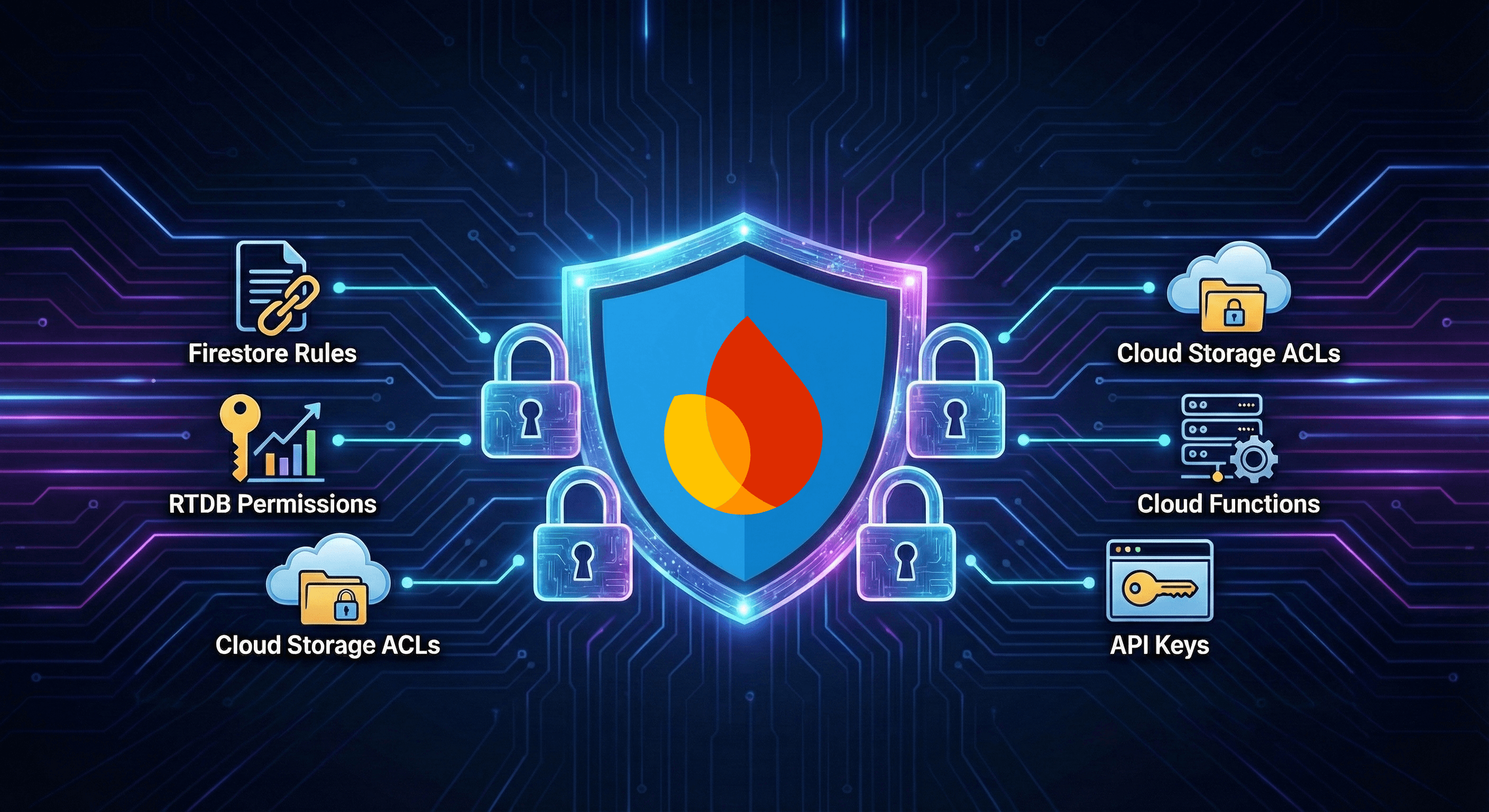
Firebase powers millions of applications, from small side projects to enterprise-scale platforms. Its developer-friendly approach—client-side SDKs, real-time sync, and managed infrastructure—makes it incredibly productive to build with.
But that productivity comes with security responsibility. The numbers are staggering:
- 2024: 916 Firebase websites exposed 125 million user records, including 19 million plaintext passwords
- 2025: Security researchers found 150+ popular apps (many with 100M+ downloads) leaking sensitive data through Firebase misconfigurations
- Exposed data included payment details, private messages, AWS tokens, and cleartext credentials
Most of these breaches were completely preventable. Firebase has no database security enabled by default—it's entirely the developer's responsibility to configure security rules before storing real data.
This guide covers every aspect of Firebase security you need to get right before going to production.
1. Firestore Security Rules
Risk Level: Critical
Firestore security rules are your primary defense against unauthorized data access. They run on Google's servers and can't be bypassed from the client.
The Problem: Open Rules
The most dangerous configuration is the default "test mode" rules that many developers forget to change:
rules_version = '2';
service cloud.firestore {
  match /databases/{database}/documents {
    match /{document=**} {
      allow read, write: if true; // DANGER: Anyone can read/write everything!
    }
  }
}
The Fix: Proper Authentication and Authorization
rules_version = '2';
service cloud.firestore {
  match /databases/{database}/documents {
    // Users can only access their own profile
    match /users/{userId} {
      allow read, write: if request.auth != null
        && request.auth.uid == userId;
    }

    // Posts: anyone can read, only author can write
    match /posts/{postId} {
      allow read: if true;
      allow create: if request.auth != null
        && request.resource.data.authorId == request.auth.uid;
      allow update, delete: if request.auth != null
        && resource.data.authorId == request.auth.uid;
    }

    // Admin-only collection
    match /admin/{document=**} {
      allow read, write: if request.auth != null
        && request.auth.token.admin == true;
    }
  }
}
Common Mistakes to Avoid
1. Using request.auth != null alone:
// BAD: Any authenticated user can access ANY user's data
match /users/{userId} {
  allow read, write: if request.auth != null;
}

// GOOD: Users can only access their own data
match /users/{userId} {
  allow read, write: if request.auth.uid == userId;
}
2. Forgetting to validate data on writes:
// BAD: User can set themselves as admin
match /users/{userId} {
  allow write: if request.auth.uid == userId;
}

// GOOD: Validate fields that shouldn't be user-controlled
match /users/{userId} {
  allow write: if request.auth.uid == userId
    && !request.resource.data.diff(resource.data).affectedKeys()
        .hasAny(['isAdmin', 'role', 'subscriptionTier']);
}
3. Not restricting collection listing:
// Consider if users should be able to list ALL documents
match /users/{userId} {
  // This allows listing all users if they know the path
  allow list: if request.auth != null;

  // Better: Only allow get (single document)
  allow get: if request.auth.uid == userId;
}
2. Realtime Database Rules
Risk Level: Critical
RTDB uses a JSON-based rules system. The same principles apply, but the syntax differs.
The Problem: Public Database
{
  "rules": {
    ".read": true,
    ".write": true
  }
}
This exposes your entire database to anyone who knows the project ID.
The Fix: Scoped Access
{
  "rules": {
    "users": {
      "$uid": {
        ".read": "$uid === auth.uid",
        ".write": "$uid === auth.uid"
      }
    },
    "posts": {
      "$postId": {
        ".read": true,
        ".write": "auth !== null && (!data.exists() || data.child('authorId').val() === auth.uid)"
      }
    },
    "private": {
      ".read": false,
      ".write": false
    }
  }
}
RTDB-Specific Concerns
1. Path traversal via parent rules:
{
  "rules": {
    "users": {
      "$uid": {
        ".read": "$uid === auth.uid"
      }
    },
    // DANGER: This allows reading ALL users at once!
    ".read": "auth !== null"
  }
}
Rules cascade—a read permission at a parent level grants access to all children.
2. Validate data structure:
{
  "rules": {
    "messages": {
      "$messageId": {
        ".validate": "newData.hasChildren(['text', 'timestamp', 'userId'])",
        "text": {
          ".validate": "newData.isString() && newData.val().length < 500"
        },
        "timestamp": {
          ".validate": "newData.val() === now"
        },
        "userId": {
          ".validate": "newData.val() === auth.uid"
        }
      }
    }
  }
}
3. Cloud Storage Rules
Risk Level: High
Cloud Storage rules protect files from unauthorized access. Without them, anyone can read (or write) your files.
The Problem: Public Bucket
rules_version = '2';
service firebase.storage {
  match /b/{bucket}/o {
    match /{allPaths=**} {
      allow read, write: if true; // Public bucket!
    }
  }
}
The Fix: User-Scoped Access
rules_version = '2';
service firebase.storage {
  match /b/{bucket}/o {
    // User profile pictures - user can read/write their own
    match /users/{userId}/profile/{fileName} {
      allow read: if true; // Public profile pictures
      allow write: if request.auth.uid == userId
        && request.resource.size < 5 * 1024 * 1024 // 5MB limit
        && request.resource.contentType.matches('image/.*');
    }

    // Private user files
    match /users/{userId}/private/{allPaths=**} {
      allow read, write: if request.auth.uid == userId;
    }

    // Shared files - check custom claims or database
    match /shared/{fileId} {
      allow read: if request.auth != null;
      allow write: if request.auth.token.admin == true;
    }
  }
}
Storage-Specific Validations
1. File type validation:
match /uploads/{userId}/{fileName} {
  allow write: if request.auth.uid == userId
    && request.resource.contentType in ['image/png', 'image/jpeg', 'application/pdf'];
}
2. File size limits:
match /uploads/{userId}/{fileName} {
  allow write: if request.auth.uid == userId
    && request.resource.size < 10 * 1024 * 1024; // 10MB
}
3. Prevent dangerous files:
// Never allow executable uploads
match /uploads/{allPaths=**} {
  allow write: if !request.resource.contentType.matches('application/(x-executable|x-msdownload|x-sh).*');
}
4. Cloud Functions Security
Risk Level: High
Cloud Functions can be HTTP-callable (public endpoints) or background triggers. HTTP functions need careful authentication.
The Problem: Unauthenticated Functions
// DANGEROUS: No authentication check
export const deleteUser = functions.https.onRequest(async (req, res) => {
  const userId = req.body.userId;
  await admin.auth().deleteUser(userId);
  res.send({ success: true });
});
The Fix: Verify Authentication
Option 1: Firebase Callable Functions (Recommended)
export const deleteUserData = functions.https.onCall(async (data, context) => {
  // Authentication is automatically verified
  if (!context.auth) {
    throw new functions.https.HttpsError('unauthenticated', 'Must be logged in');
  }

  // Authorization: user can only delete their own data
  if (data.userId !== context.auth.uid) {
    throw new functions.https.HttpsError('permission-denied', 'Cannot delete other users');
  }

  // Proceed with deletion
  await admin.firestore().collection('users').doc(data.userId).delete();
  return { success: true };
});
Option 2: HTTP Functions with Manual Verification
export const adminEndpoint = functions.https.onRequest(async (req, res) => {
  // CORS
  res.set('Access-Control-Allow-Origin', 'https://yourapp.com');

  // Verify Firebase ID token
  const authHeader = req.headers.authorization;
  if (!authHeader?.startsWith('Bearer ')) {
    res.status(401).send({ error: 'Unauthorized' });
    return;
  }

  const token = authHeader.split('Bearer ')[1];
  try {
    const decodedToken = await admin.auth().verifyIdToken(token);

    // Check admin claim
    if (!decodedToken.admin) {
      res.status(403).send({ error: 'Forbidden' });
      return;
    }

    // Process request
    res.send({ success: true });
  } catch (error) {
    res.status(401).send({ error: 'Invalid token' });
  }
});
Function Security Best Practices
1. Rate limiting:
import rateLimit from 'express-rate-limit';

const limiter = rateLimit({
  windowMs: 15 * 60 * 1000, // 15 minutes
  max: 100 // limit each IP to 100 requests per windowMs
});

export const api = functions.https.onRequest(async (req, res) => {
  await new Promise((resolve, reject) => {
    limiter(req, res, (err) => {
      if (err) reject(err);
      else resolve(null);
    });
  });

  // Handle request
});
2. Input validation:
import { z } from 'zod';

const CreatePostSchema = z.object({
  title: z.string().min(1).max(200),
  content: z.string().min(1).max(10000),
  tags: z.array(z.string()).max(10).optional(),
});

export const createPost = functions.https.onCall(async (data, context) => {
  if (!context.auth) {
    throw new functions.https.HttpsError('unauthenticated', 'Must be logged in');
  }

  // Validate input
  const parsed = CreatePostSchema.safeParse(data);
  if (!parsed.success) {
    throw new functions.https.HttpsError('invalid-argument', parsed.error.message);
  }

  // Safe to use parsed.data
});
5. Firebase App Check
Risk Level: High
App Check is a critical security layer that protects your Firebase backend from abuse. While Authentication verifies who is making a request, App Check verifies what is making the request—ensuring calls come from your legitimate app, not scripts or modified clients.
The Problem: Anyone Can Call Your APIs
Even with authentication, attackers can:
- Reverse-engineer your app and extract the Firebase config
- Call your APIs from scripts, bots, or modified apps
- Exhaust your quotas or abuse your backend
- Bypass client-side validation entirely
The Fix: Enable App Check
1. Configure attestation providers in Firebase Console:
Each platform uses a different attestation method:
- Web: reCAPTCHA Enterprise (recommended) or reCAPTCHA v3
- Android: Play Integrity API
- iOS: App Attest (iOS 14+) or DeviceCheck
2. Initialize App Check in your app:
// Web - using reCAPTCHA Enterprise (recommended)
import { initializeApp } from 'firebase/app';
import { initializeAppCheck, ReCaptchaEnterpriseProvider } from 'firebase/app-check';

const app = initializeApp(firebaseConfig);

const appCheck = initializeAppCheck(app, {
  provider: new ReCaptchaEnterpriseProvider('your-recaptcha-site-key'),
  isTokenAutoRefreshEnabled: true
});
3. Enforce App Check in Cloud Functions:
import { onCall } from 'firebase-functions/v2/https';

export const sensitiveOperation = onCall(
  {
    enforceAppCheck: true, // Reject requests without valid App Check token
  },
  async (request) => {
    // This code only runs if App Check verified the request
    // request.app contains the App Check token info
    return { success: true };
  }
);
App Check Best Practices
1. Gradual enforcement rollout:
Don't enable enforcement immediately—monitor first:
- Deploy the updated client with App Check initialized
- Monitor the Firebase Console for App Check metrics
- Once most traffic has valid tokens, enable enforcement
2. Handle debug environments:
// ONLY in development builds
if (process.env.NODE_ENV === 'development') {
  // @ts-ignore
  self.FIREBASE_APPCHECK_DEBUG_TOKEN = true;
}

const appCheck = initializeAppCheck(app, {
  provider: new ReCaptchaEnterpriseProvider('your-site-key'),
  isTokenAutoRefreshEnabled: true
});
Warning: Never set
FIREBASE_APPCHECK_DEBUG_TOKENin production. Debug tokens bypass attestation entirely.
3. Quota considerations:
- Play Integrity: 10,000 calls/day (free tier)
- reCAPTCHA Enterprise: 10,000 assessments/month (free), then $1 per 1,000
For high-traffic apps, consider caching strategies and longer token refresh intervals.
4. Verify enforcement is working:
Test that unauthenticated requests fail:
# This should return an error after enforcement is enabled
curl -X POST https://your-region-your-project.cloudfunctions.net/sensitiveOperation \
  -H "Content-Type: application/json" \
  -d '{"data": {}}'
6. API Key Security
Risk Level: Medium to High
Firebase API keys are designed to be public—they identify your project but don't grant access alone. However, unrestricted keys can be abused.
The Problem: Unrestricted API Keys
By default, Firebase API keys can be used from any domain, for any API. Attackers can:
- Exhaust your quotas (denial of service)
- Use your key for their own projects
- Access APIs you didn't intend to expose
The Fix: Restrict Your Keys
1. Application Restrictions (GCP Console):
- Go to GCP Console → APIs & Services → Credentials
- Click on your API key
- Under "Application restrictions":
- Web: Add HTTP referrer restrictions (
yourapp.com/*) - Mobile: Add package name (Android) or bundle ID (iOS)
- Web: Add HTTP referrer restrictions (
2. API Restrictions:
- Under "API restrictions", select "Restrict key"
- Only enable the APIs your app actually uses:
- Firebase Installations API
- Firebase Cloud Messaging API
- Cloud Firestore API (if using Firestore)
- etc.
3. Enable Firebase App Check:
See Section 5: Firebase App Check for complete implementation details. App Check provides an additional layer of protection by ensuring requests come from your legitimate app, not scripts or modified clients.
7. Authentication Configuration
Risk Level: Medium
Firebase Authentication is secure by default, but configuration choices can introduce vulnerabilities.
Check These Settings
1. Anonymous Authentication:
Only enable if you genuinely need it. Anonymous users can:
- Create unlimited accounts
- Consume your quotas
- Make abuse detection harder
// If you must use anonymous auth, link to real accounts
import { linkWithCredential, EmailAuthProvider } from 'firebase/auth';

// When user wants to save their data
const credential = EmailAuthProvider.credential(email, password);
await linkWithCredential(user, credential);
2. Email Enumeration Protection:
Enable in Firebase Console → Authentication → Settings → User Actions:
- "Email enumeration protection" should be ON
3. Password Requirements:
Firebase allows passwords as short as 6 characters. Add client-side validation:
const validatePassword = (password: string) => {
  const errors = [];
  if (password.length < 12) errors.push('At least 12 characters');
  if (!/[A-Z]/.test(password)) errors.push('At least one uppercase letter');
  if (!/[a-z]/.test(password)) errors.push('At least one lowercase letter');
  if (!/[0-9]/.test(password)) errors.push('At least one number');
  if (!/[^A-Za-z0-9]/.test(password)) errors.push('At least one special character');
  return errors;
};
4. Multi-Factor Authentication:
Enable MFA for sensitive applications:
import { multiFactor, PhoneAuthProvider, PhoneMultiFactorGenerator } from 'firebase/auth';

// Enroll user in MFA
const multiFactorUser = multiFactor(user);
const session = await multiFactorUser.getSession();
const phoneAuthProvider = new PhoneAuthProvider(auth);

const verificationId = await phoneAuthProvider.verifyPhoneNumber(
  { phoneNumber: '+1234567890', session },
  recaptchaVerifier
);

// After user enters verification code
const credential = PhoneAuthProvider.credential(verificationId, verificationCode);
const multiFactorAssertion = PhoneMultiFactorGenerator.assertion(credential);
await multiFactorUser.enroll(multiFactorAssertion, 'Phone Number');
8. Custom Claims and Role-Based Access
Risk Level: Medium
Custom claims are set server-side and embedded in the user's ID token. They're perfect for role-based access control.
Setting Custom Claims
// In a Cloud Function or Admin SDK
await admin.auth().setCustomUserClaims(userId, {
  admin: true,
  role: 'editor',
  organization: 'org-123'
});
Using Claims in Security Rules
// Firestore rules
match /admin/{document=**} {
  allow read, write: if request.auth.token.admin == true;
}

match /organizations/{orgId}/{document=**} {
  allow read, write: if request.auth.token.organization == orgId;
}
Important Considerations
1. Claims are cached in the token:
Users need to refresh their token to see new claims:
// Force token refresh after claims change
await user.getIdToken(true);
2. Keep claims small:
The entire token (including claims) must be under 1000 bytes. Don't store large arrays.
3. Don't trust client-side claims:
Always verify in security rules or server-side:
// WRONG: Trusting client claim
if (user.customClaims?.admin) { /* ... */ }

// RIGHT: Verify server-side
const decoded = await admin.auth().verifyIdToken(token);
if (decoded.admin) { /* ... */ }
9. Firebase Data Connect Security
Risk Level: Medium
Firebase Data Connect is a backend-as-a-service for PostgreSQL databases using GraphQL. It's integrated with Firebase Authentication and requires explicit authorization for all operations.
The @auth Directive
Every query and mutation must have an @auth directive. Without it, operations default to NO_ACCESS—meaning they can only be called from privileged server environments.
# schema.gql

# Access levels from least to most restrictive:
# PUBLIC - Anyone can access (no auth required)
# USER_ANON - Any authenticated user, including anonymous
# USER - Any authenticated user (excludes anonymous)
# USER_EMAIL_VERIFIED - Verified email required
# NO_ACCESS - Server-side only (default)

type Post @table {
  id: UUID! @default(expr: "uuidV4()")
  title: String!
  content: String!
  authorId: String!
}

# Public read access
query GetPost($id: UUID!) @auth(level: PUBLIC) {
  post(id: $id) { id, title, content }
}

# Only authenticated users can create posts
mutation CreatePost($title: String!, $content: String!)
  @auth(level: USER)
{
  post_insert(data: {
    title: $title,
    content: $content,
    authorId_expr: "auth.uid"
  })
}
The @check Directive
For complex authorization logic, use @check with CEL (Common Expression Language) expressions:
# Only the author can update their own post
mutation UpdatePost($id: UUID!, $title: String!)
  @auth(level: USER)
  @check(expr: "this.authorId == auth.uid", message: "Not the author")
{
  post_update(id: $id, data: { title: $title })
}

# Admin-only mutation using custom claims
mutation DeleteAnyPost($id: UUID!)
  @auth(level: USER)
  @check(expr: "auth.token.admin == true", message: "Admin required")
{
  post_delete(id: $id)
}
Data Connect + App Check
Enable App Check attestation for Data Connect:
// Client initialization with App Check
import { initializeApp } from 'firebase/app';
import { initializeAppCheck, ReCaptchaEnterpriseProvider } from 'firebase/app-check';
import { getDataConnect, connectDataConnectEmulator } from 'firebase/data-connect';

const app = initializeApp(firebaseConfig);

// Initialize App Check first
initializeAppCheck(app, {
  provider: new ReCaptchaEnterpriseProvider('your-site-key'),
  isTokenAutoRefreshEnabled: true
});

// Data Connect will automatically use App Check tokens
const dataConnect = getDataConnect(app, { connector: 'my-connector' });
10. Firebase Genkit Security
Risk Level: High (for AI-powered applications)
Firebase Genkit is an open-source framework for building AI-powered applications. Security is critical because LLM calls are expensive and can be abused.
The Problem: Unprotected AI Flows
Deployed Genkit flows without authorization policies are publicly accessible:
// DANGEROUS: No auth policy
export const generateContent = ai.defineFlow('generateContent', async (input) => {
  const response = await ai.generate({ prompt: input.prompt });
  return response.text;
});
The Fix: Always Define Authorization Policies
import { onCallGenkit } from 'firebase-functions/https';
import { genkit } from 'genkit';
import { googleAI } from '@genkit-ai/googleai';

const ai = genkit({
  plugins: [googleAI()],
});

// Secure: Requires authenticated user + App Check
export const generateContent = onCallGenkit(
  {
    authPolicy: (auth) => {
      if (!auth) throw new Error('Authentication required');
    },
    consumeAppCheckToken: true,
  },
  ai.defineFlow('generateContent', async (input, { auth }) => {
    // auth.uid is verified
    const response = await ai.generate({
      model: 'googleai/gemini-1.5-flash',
      prompt: input.prompt,
    });
    return response.text;
  })
);
Genkit Security Best Practices
1. Use built-in auth helpers:
import { signedIn, hasClaim } from 'firebase-functions/https';

// Require any authenticated user
export const publicFlow = onCallGenkit(
  { authPolicy: signedIn() },
  myFlow
);

// Require admin claim
export const adminFlow = onCallGenkit(
  { authPolicy: hasClaim('admin') },
  myFlow
);
2. Store API keys in Secret Manager:
// functions/package.json - set secret reference
// functions/.env.local - for local development only

// Access via environment variable
const apiKey = process.env.GOOGLE_AI_API_KEY;
Never hardcode API keys. Use Google Secret Manager for production.
3. Implement context-based tool security:
// Pass user context to tools, don't let AI infer it
ai.defineTool(
  { name: 'getUserData', description: 'Get current user data' },
  async (input, { auth }) => {
    // Use auth.uid from context, not from AI-generated input
    const userData = await db.collection('users').doc(auth.uid).get();
    return userData.data();
  }
);
4. Use lower-privileged SDKs:
When AI tools need to access Firebase services, use user-scoped access rather than Admin SDK when possible to limit blast radius.
11. Testing Your Security Configuration
Before deploying to production, test your security rules systematically.
Using the Firebase Emulator Suite
# Start emulators
firebase emulators:start

# Run security rules tests
firebase emulators:exec "npm test"
Automated Rules Testing
import {
  assertFails,
  assertSucceeds,
  initializeTestEnvironment,
} from '@firebase/rules-unit-testing';

let testEnv;

beforeAll(async () => {
  testEnv = await initializeTestEnvironment({
    projectId: 'test-project',
    firestore: {
      rules: fs.readFileSync('firestore.rules', 'utf8'),
    },
  });
});

afterAll(async () => {
  await testEnv.cleanup();
});

test('users can only read their own data', async () => {
  const aliceDb = testEnv.authenticatedContext('alice').firestore();
  const bobDb = testEnv.authenticatedContext('bob').firestore();

  // Alice can read her own data
  await assertSucceeds(aliceDb.doc('users/alice').get());

  // Bob cannot read Alice's data
  await assertFails(bobDb.doc('users/alice').get());
});

test('unauthenticated users cannot write', async () => {
  const unauthDb = testEnv.unauthenticatedContext().firestore();
  await assertFails(unauthDb.collection('posts').add({ title: 'Test' }));
});

test('users cannot escalate privileges', async () => {
  const aliceDb = testEnv.authenticatedContext('alice').firestore();

  // User tries to set admin flag
  await assertFails(
    aliceDb.doc('users/alice').update({ isAdmin: true })
  );
});
CI/CD Integration
Add security tests to your pipeline:
# .github/workflows/security-tests.yml
name: Security Tests

on: [push, pull_request]

jobs:
  test-rules:
    runs-on: ubuntu-latest
    steps:
      - uses: actions/checkout@v4
      - uses: actions/setup-node@v4
        with:
          node-version: '20'

      - name: Install dependencies
        run: npm ci

      - name: Install Firebase CLI
        run: npm install -g firebase-tools

      - name: Run security rules tests
        run: firebase emulators:exec "npm test"
Detecting These Issues Automatically
Manually auditing Firebase configurations is time-consuming and error-prone. We built Firebomb, an open source CLI tool specifically for Firebase security testing.
# Install and run
git clone https://github.com/ModernPentest/firebomb.git
cd firebomb

# Discover Firebase config from your app
uv run firebomb discover --url https://your-app.com

# Run comprehensive security tests
uv run firebomb test

# Generate a detailed report
uv run firebomb report --format html --output assessment.html
Firebomb automatically:
- Extracts Firebase configuration from your frontend
- Tests Firestore, RTDB, and Storage security rules
- Checks Cloud Functions for authentication issues
- Compares anonymous vs. authenticated access
- Generates professional security reports
Read more in our Introducing Firebomb post.
Security Checklist
Before going to production, verify:
Firestore
- Test mode rules have been replaced with production rules
- Every collection has explicit read/write rules
- Rules use
request.auth.uidfor user-scoped access - Data validation rules prevent privilege escalation
- No wildcards (
{document=**}) with permissive access - Sensitive fields are protected from user modification
Realtime Database
- Root-level
.readand.writearefalse - User data is scoped to
$uid === auth.uid - Data validation rules are in place
- No unintended cascade from parent rules
Cloud Storage
- Default rules have been updated
- File type validation is enforced
- File size limits are set
- User uploads are scoped to user paths
- Executable file types are blocked
Cloud Functions
- All HTTP functions verify authentication
- Callable functions check
context.auth - Input validation is implemented
- CORS is properly configured
- Rate limiting is in place
- App Check enforcement is enabled
App Check
- App Check is enabled in Firebase Console
- Attestation providers configured (reCAPTCHA/Play Integrity/App Attest)
- Enforcement is enabled for Firestore, RTDB, and Storage
- Cloud Functions use
enforceAppCheck: true - Debug tokens are only used in development
- No
FIREBASE_APPCHECK_DEBUG_TOKENin production code
Authentication
- Anonymous auth is disabled (unless needed)
- Email enumeration protection is enabled
- Strong password requirements are enforced
- MFA is available for sensitive accounts
- Identity Platform upgrade completed (if using App Check)
API Keys
- HTTP referrer restrictions are set
- API restrictions limit to required APIs only
- Separate keys for development and production
Data Connect (if applicable)
- All queries and mutations have
@authdirective - Default access level is
NO_ACCESS - Complex authorization uses
@checkdirective with CEL - App Check is integrated with Data Connect
Genkit (if applicable)
- All deployed flows have
authPolicydefined - API keys stored in Secret Manager (not hardcoded)
- Tools use context-based security (
auth.uid) - Lower-privileged SDKs used for user operations
-
consumeAppCheckToken: trueenabled
Testing
- Security rules tests exist and run in CI/CD
- Firebase Emulator Suite is used for local testing
- Privilege escalation tests are implemented
- Unauthenticated access tests are implemented
Automate Your Firebase Security
Want continuous protection instead of manual checklists? ModernPentest's Firebase Security Scanning uses AI agents trained specifically on Firebase vulnerabilities to:
- Scan in under an hour - Full penetration test + SOC 2 report
- Test all services - Firestore, RTDB, Storage, Functions, and Auth
- Monitor continuously - Weekly/daily scans catch regressions
- Generate compliance reports - Auditor-ready documentation for SOC 2, ISO 27001
Our agents use Firebomb under the hood, combined with AI analysis to prioritize findings by actual risk and provide specific remediation guidance.
Start Your Free Security Scan →
This guide is part of our Security Guides series. Follow us for more content on securing modern web applications.
ModernPentest
Ready to secure your application?
Get continuous, automated penetration testing for your Supabase, Firebase, or Vercel app. Start your first scan in under 5 minutes.