

WAF Bypass Configuration
Configure your Web Application Firewall to allow ModernPentest AI agents access
Modern web applications often use Web Application Firewalls (WAF) or bot protection services to block automated traffic. While this protects against malicious bots, it can also block legitimate security testing tools like ModernPentest.
This guide explains how to configure a bypass rule that allows our AI agents through while keeping your WAF protection active for all other traffic.
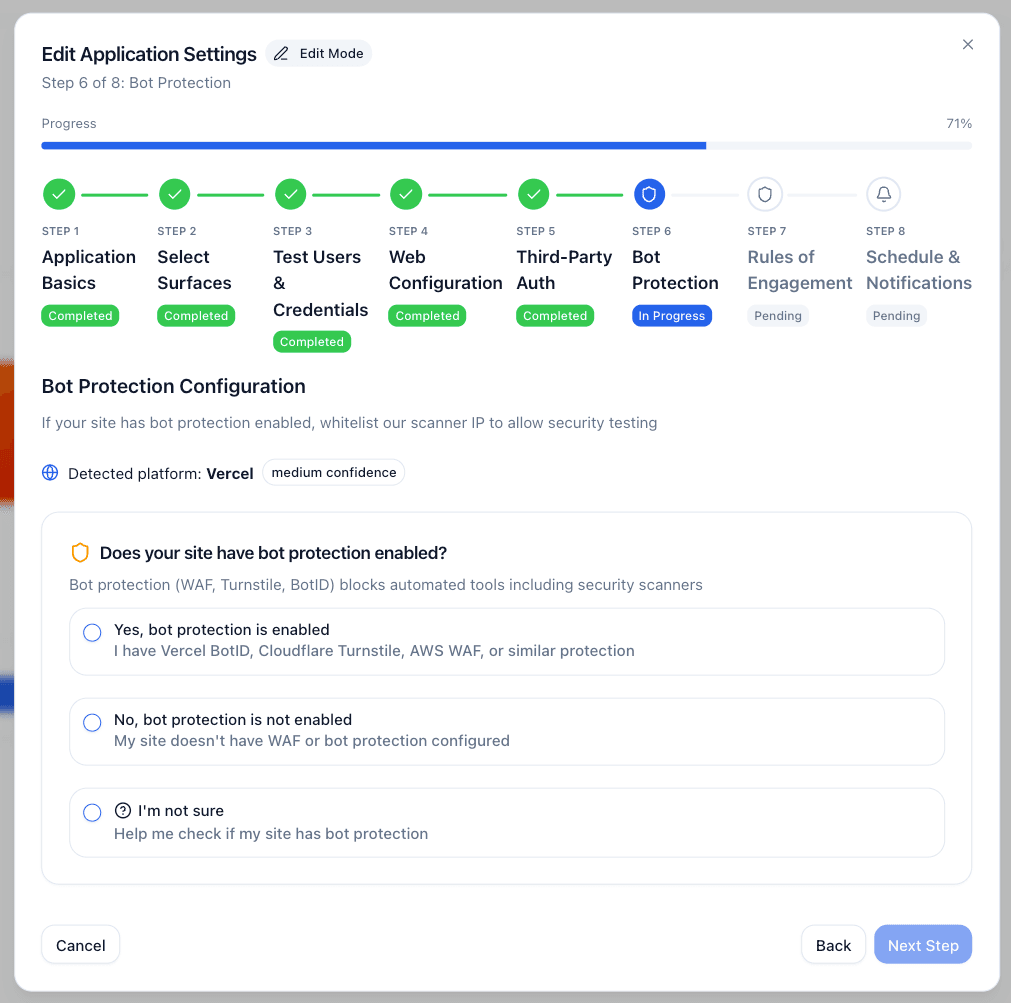
ModernPentest automatically detects WAF protection during application setup. If detected, you'll be guided through this configuration as part of the wizard.
How It Works
ModernPentest uses a single static IP address for all AI agent operations. This makes WAF configuration simple—whitelist our IP address and your security tests will work seamlessly.
This applies to WAFs and bot protection, which filter by traffic characteristics. It does not apply to Vercel Deployment Protection, an authentication wall that challenges every request regardless of source IP. If your preview or staging deployment is behind it, see Vercel Deployment Protection instead.
When you add an application protected by a WAF, ModernPentest:
- Detects the WAF type (Vercel, Cloudflare, Akamai, etc.)
- Displays the IP address to whitelist
- Guides you through creating a bypass rule
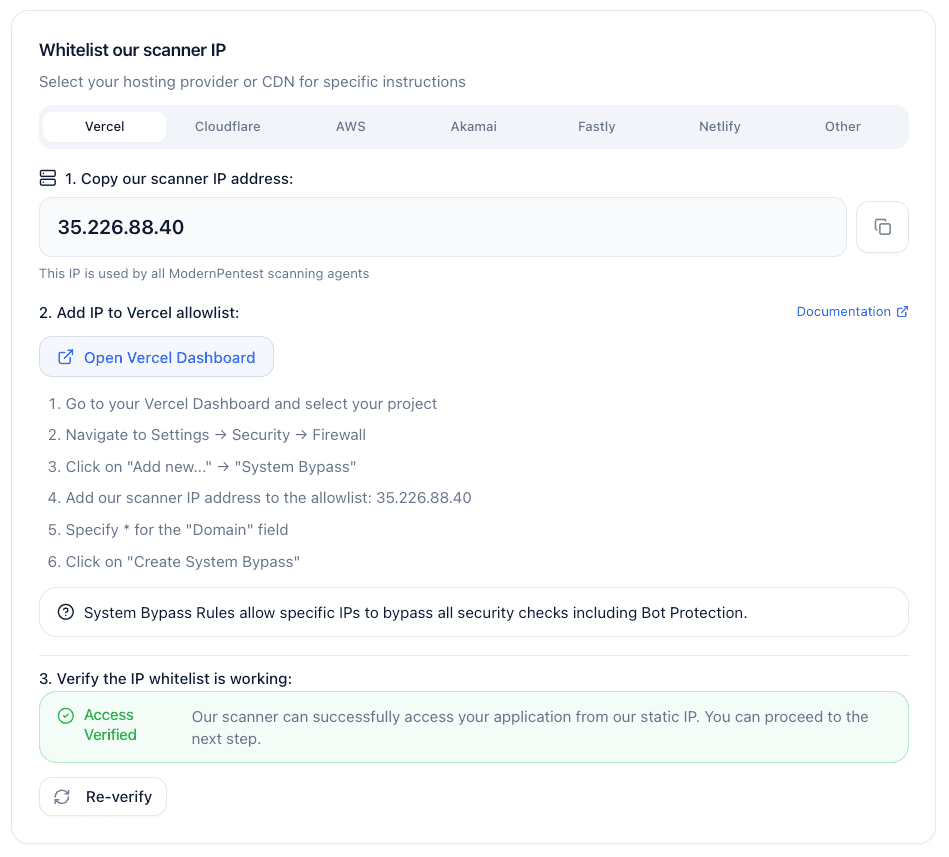
- Verifies the bypass is working before starting tests
AI Agent IP Address: The IP address to whitelist is displayed in your ModernPentest dashboard when adding an application with WAF protection.
Security Considerations
Only whitelist the exact IP address provided by ModernPentest. Do not whitelist broader IP ranges.
- The IP is static and dedicated to ModernPentest AI agents
- Only ModernPentest uses this IP for security testing
- You can revoke access anytime by removing the IP from your whitelist
- The bypass is narrowly scoped to a single IP address
Provider-Specific Instructions
Vercel Firewall
Vercel's bot protection (BotID) uses Kasada technology to detect automated browsers. Here's how to configure a bypass:
Open Firewall Settings
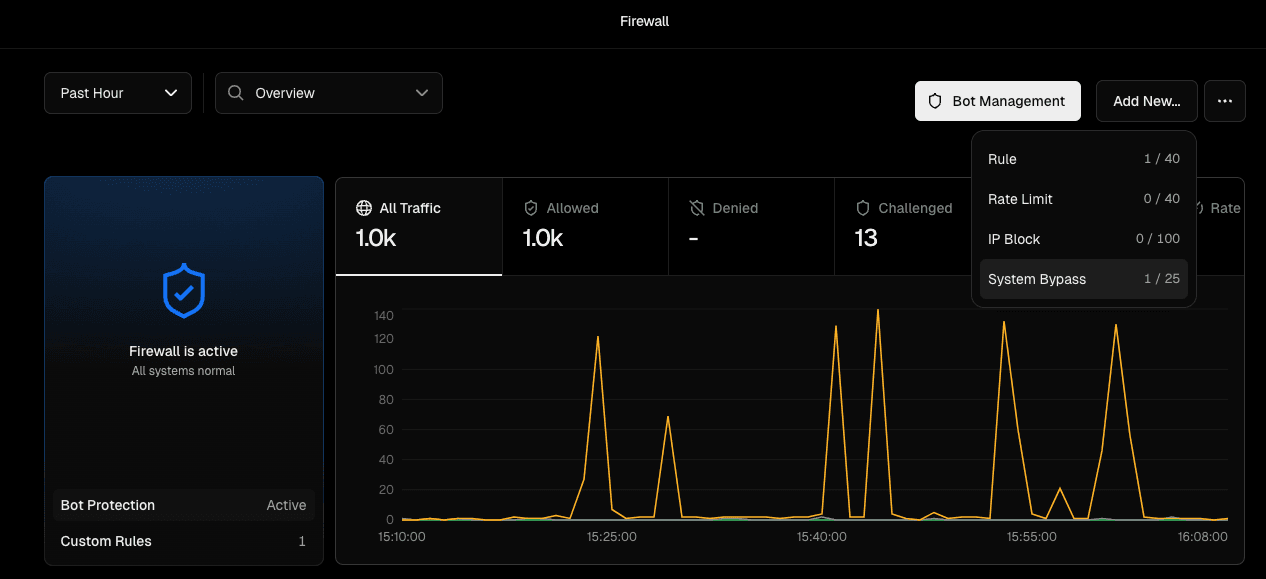
Go to your Vercel Dashboard, select your project, then navigate to Firewall.
Alternatively, use the direct link provided in the ModernPentest wizard.
Create a New Rule
Click the top right button "Add New..." -> "System Bypass" to create a new custom firewall rule.
Configure the Rule
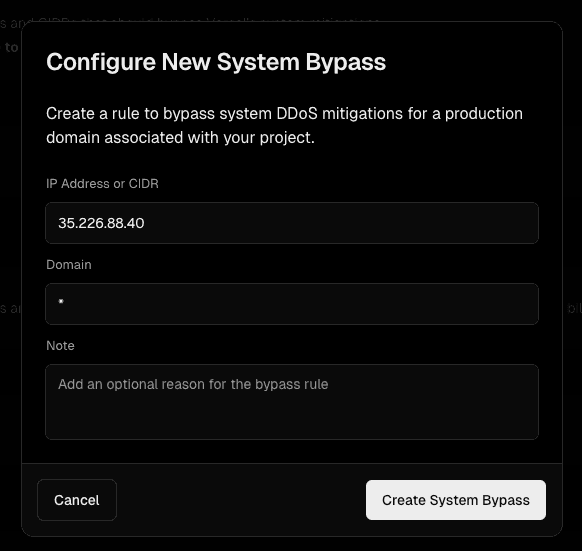
- IP Address or CIDR: Input the provided IP address
- Domain: Input *
Click Create System Bypass for creating the rule.
Tip: Name your rule something descriptive like "ModernPentest AI Agents" so you can identify it later.
Cloudflare WAF
Cloudflare supports IP-based allowlisting through IP Access Rules. Add the ModernPentest IP address with the Allow action.
For detailed instructions, see the Cloudflare IP Access Rules documentation.
Akamai Bot Manager
Akamai supports IP allowlisting in Bot Manager settings. Add the ModernPentest IP address to your allowlist with the Allow/Bypass action.
For detailed instructions, see the Akamai Bot Manager documentation.
AWS WAF
AWS WAF supports IP-based rules through IP sets. Create an IP set with the ModernPentest IP address and add an Allow rule to your Web ACL.
For detailed instructions, see the AWS WAF IP set documentation.
Other WAF Providers
For other WAF providers, the general approach is:
- Find the IP allowlist section in your WAF dashboard
- Add the ModernPentest IP to the allowlist
- Set the action to allow or bypass security checks
- Verify the bypass in ModernPentest
| Provider | Documentation |
|---|---|
| Fastly | IP allowlist |
| Imperva | IP management |
| Sucuri | Whitelist IP |
| F5 BIG-IP | IP intelligence |
Troubleshooting
Bypass Verification Fails
If ModernPentest reports the bypass isn't working:
- Check the IP address — Ensure you entered the complete IP address without typos
- Verify rule is active — Some WAFs require publishing or deploying rules
- Wait for propagation — CDN-based WAFs may take a few minutes to update
- Check rule priority — Ensure your allowlist rule runs before blocking rules
- Try again — Click "Verify Bypass" in ModernPentest after making changes
AI Agents Still Blocked After Configuration
If tests fail despite a verified bypass:
- Rule might have been removed — Check your WAF dashboard
- IP might have changed — Verify the IP in your ModernPentest dashboard (rare, but we'll notify you if it changes)
- WAF might have multiple layers — Some setups have CDN + origin WAF; whitelist IP in both
- Contact support — We can help diagnose complex configurations
Revoking Access
To stop allowing ModernPentest AI agent access:
- Go to your WAF dashboard
- Find and delete the IP allowlist rule you created
- The AI agents will be blocked on the next request
Frequently Asked Questions
Last updated: September 7, 2026